

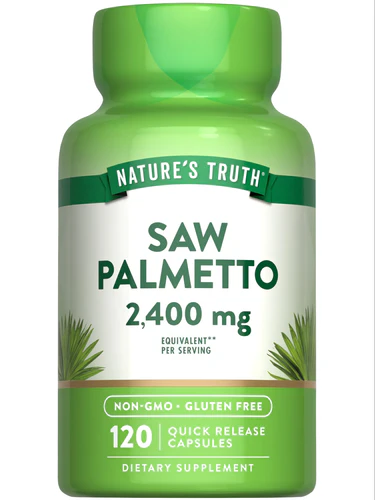
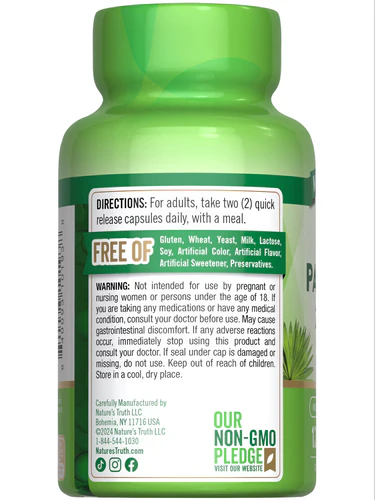
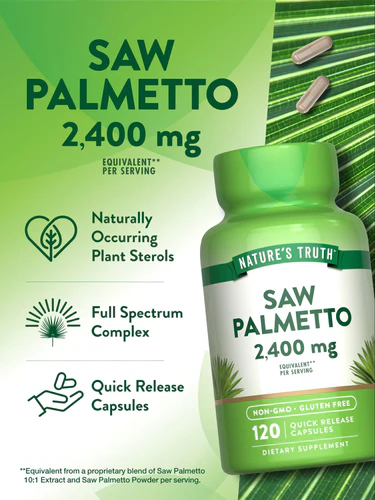
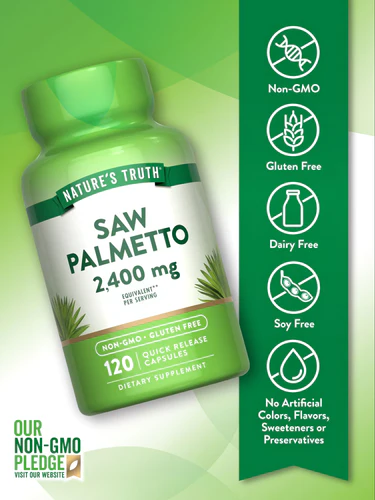
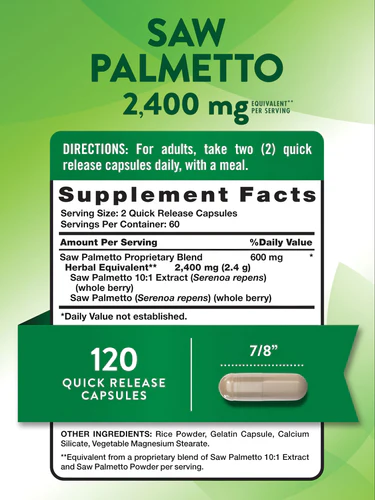
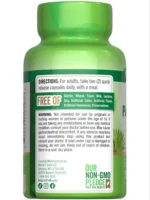
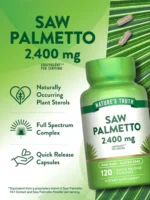
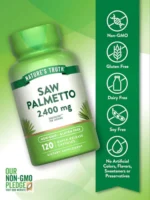
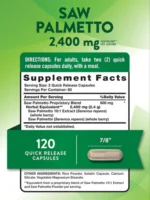
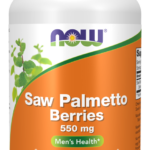
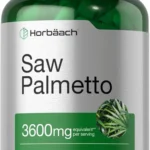
Saw Palmetto Extract 120Count
1.500 EGP
Subscription FAQs
What is Nature’s Truth Subscribe & Save and are vitamin subscriptions worth it?
Subscribe & Save with Nature’s Truth is a convenient method to arrange automatic home deliveries of your supplements on a regular basis. This ensures that you always have your supplements on hand when you need them. Additionally, enjoy a discount on all subscription orders. The process is simple to set up, modify, and cancel if needed. Give it a try!
Which supplements are eligible for Subscribe & Save?
Currently, all Nature’s Truth supplements are eligible for Subscribe & Save.
How do I set up Subscribe & Save?
Signing up is a breeze! Select the subscription option instead of ‘One-Time Purchase’ when looking at the product you want. After that, hit ‘Add to Cart’ to get your item at a discount, ready for purchase. You can proceed to checkout or continue shopping.
Don’t forget to create a free Nature’s Truth account before finalizing your order, which allows for effortless management of your subscriptions.
Do I have to create a Nature’s Truth account to use?
Setting up a free account with Nature’s Truth offers the convenience of managing your subscriptions, preferred payment methods, and delivery addresses all in one place. You can check out and manage your subscriptions via a link sent to your email after purchase as well. For any adjustments, simply use the same link to access the subscriptions page.
Can I make changes to my subscriptions?
Absolutely! You have the flexibility to modify your subscribed items whenever you wish. This includes options like skipping a delivery, changing the delivery date, or adding or removing items from your subscription.
How do I change my next order date?
Follow the steps below:
- Log into your account
- Click “Manage Subscriptions”
- Click “See More Details” for the subscription you would like to change
- Under “Next Order” on the right, click “Reschedule”
- Select your Next Ship Date
- Click “Update” to change your next shipment date. (Or you can select “Order Now” to process your next order today).
Please note, this update will affect future orders, not current orders that are being processed. If you would like to make an update to your current order, please email us at customerservice@naturestruth.com.
How do I cancel my subscription?
Follow the steps below:
- Log into your account
- Click “Manage Subscriptions”
- Click “Cancel Subscriptions” for the subscription you would like to cancel
- Select a Cancellation Reason and click “Cancel Subscription”
- Scroll down to the bottom and click on “Cancel Subscription”.
Alternatively, after clicking “Manage Subscriptions”, click “See More Details” for the subscription you would like to cancel, and scroll down to “Cancel Subscription”.
You can cancel your subscription anytime. There are no minimum order requirements.
Please note, this update will affect future orders, not current orders that are being processed. If you would like to make an update to your current order, please email us at customerservice@naturestruth.com.
How do I update my shipping address?
Follow the steps below:
- Log into your account
- Click “Manage Subscriptions”
- Click “See More Details” for the subscription you would like to change
- Under “Product Shipping Info” on the right, click “Edit”
- Click “Save” to save your changes
Please note, this update will affect future orders, not current orders that are being processed. If you would like to make an update to your current order, please email us at customerservice@naturestruth.com.
How do I update my billing address and payment method?
Follow the steps below:
- Log into your account
- Click “Manage Subscriptions”
- Click “See More Details” for the subscription you would like to change
- Under “Payment Details” on the right, click “Edit”
- Click “Send Email” to receive an email from Shopify to make changes to your billing address and payment method
Please note, this update will affect future orders, not current orders that are being processed. If you would like to make an update to your current order, please email us at customerservice@naturestruth.com.
How do I skip my next order?
Follow the steps below:
- Log into your account
- Click “Manage Subscriptions”
- Click “See More Details” for the subscription you would like to change
- Under “Next Order” on the right, click “Skip Order”
- Click “Skip Order” again to confirm
Please note, this update will affect future orders, not current orders that are being processed. If you would like to make an update to your current order, please email us at customerservice@naturestruth.com.
How do I remove an item from my subscription?
Follow the steps below:
- Log into your account
- Click “Manage Subscriptions”
- Click “See More Details” for the subscription you would like to change
- Under “Product in this Subscription” on the right, click the red trash bin on the right
- Click Confirm
Please note, this update will affect future orders, not current orders that are being processed. If you would like to make an update to your current order, please email us at customerservice@naturestruth.com.
How do I add items to my subscription?
Follow the steps below:
- Log into your account
- Click “Manage Subscriptions”
- Click “See More Details” for the subscription you would like to change
- Scroll down to “Add to Subscription” and select the products you would like to add.
Alternatively, after clicking “See More Details”, under “Product in this Subscription” at the top, click “Add Product”. Click Add to Subscription or One Time Purchase, and select the product you would like to add.
Please note, this update will affect future orders, not current orders that are being processed. If you would like to make an update to your current order, please email us at customerservice@naturestruth.com.
What is the difference between One Time Purchase (OTP) and Subscribe & Save (SS)?
When browsing a product page, you have the choice between a one-time purchase (OTP) or opting for subscribe & save (SS). When you purchase a subscription, all SS items in your cart come with a % discount, and you’ll receive repeat deliveries for the subscription. These are based on the subscription duration and frequency that you select. You can mix and match OTP and SS products in your cart to suit your needs, and OTP items will not have a % discount.
Why am I unable to login to my account?
We’re sorry to hear about the difficulties you’re experiencing with logging into your account. To resolve this issue, please reset your password. If you need more assistance, please email us at customerservice@naturestruth.com.



















Reviews
There are no reviews yet.